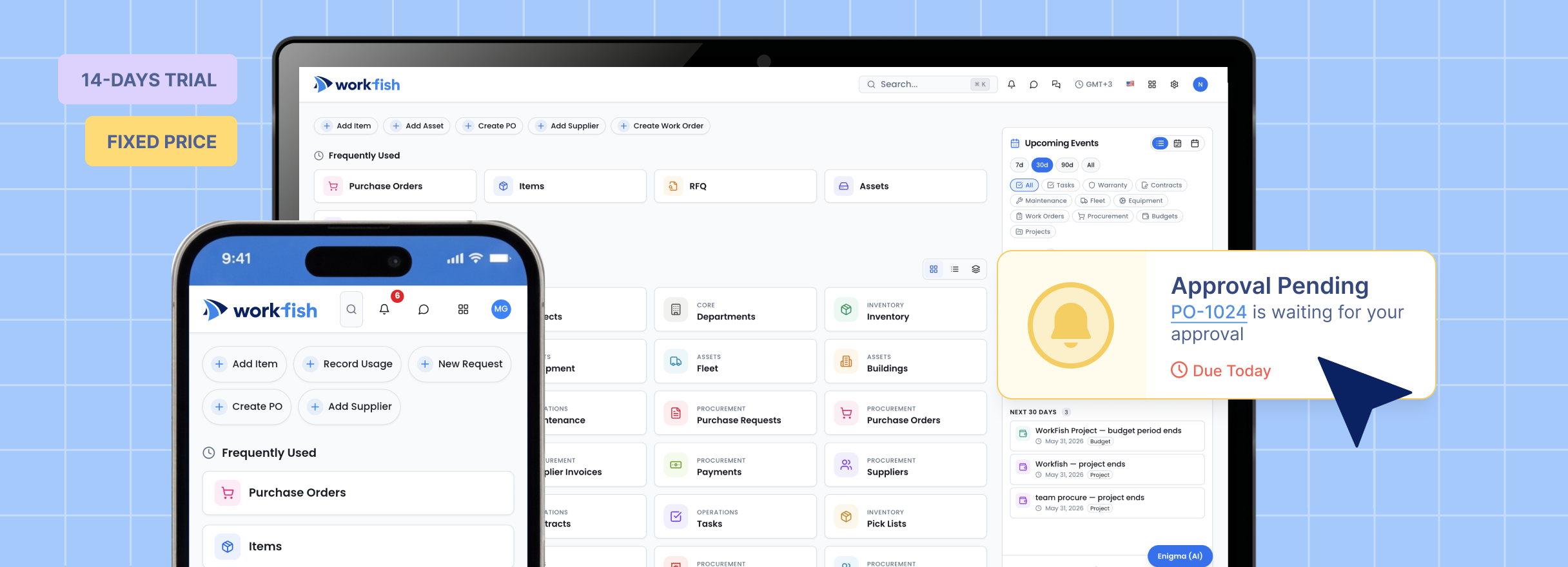
After years of working with fast-growing businesses and operational teams, Co-Founders Joe Wolin and Onurhan Ozturk saw a recurring challenge: companies were using more tools, but gaining less operational clarity.
One system tracked inventory. Another handled purchasing. Supplier communication lived in email. Approvals happened in chat. Sales and operations teams worked from separate records. As the business grew, the operating picture became harder to trust.
WorkFish started with a practical goal: simplify and modernize how companies operate by connecting the workflows that usually sit apart, especially as operational complexity increases.
What WorkFish Brings Together
A unified platform for inventory, procurement, and operational work consolidates supply chain activity into a single system. WorkFish connects sourcing, purchasing, inventory & asset management, and operational workflows into one source of truth.
That matters because operations work best when related information is connected. A sourcing decision should link to supplier records. A purchase order should reflect inventory needs and available budget. Receiving goods should update operational visibility. A contract should connect to future purchasing activity. Approvals should be easy to track.
What You Can Do in WorkFish
1. Sourcing Module
Teams can create RFQs, invite suppliers, collect responses through the Supplier Portal, review price matrices, and compare quotes using a heat map that makes stronger and weaker prices visually clear. Buyers can make manual award decisions, use auto-award logic, or split awards between different suppliers.
Sourcing Apps and Features
2. Procurement Module
Teams can manage purchase requests, approvals, purchase orders, supplier records, budget tracking, and request-to-purchase visibility. A purchase order can be created from multiple requests, keeping related demand connected in one controlled buying action.
Budgets can be assigned to projects or used across purchase orders, helping teams track what has been used, what remains available, and what is reserved for upcoming purchases. This gives project owners and finance teams a clearer view of committed spend before the invoice arrives.
When a purchase order is completed, users can evaluate the supplier, turning the completed transaction into supplier performance data for future decisions.
Procurement Apps and Features
| APPS |
FEATURES |
| Purchase Requests |
Setup:
Custom Request Type, Custom Request Code, Request Templates /
Requests Type, Custom Fields On Request
Approval & Control:
Request Approval Workflow, Budget Check At Request Submission,
Guided Intake Routing, Department / Project Connection
Transactions:
Import Items To Request, Inventory Fulfillment, Partial Inventory
Fulfillment + PO, PO From Request, RFQ From Request
|
| Purchase Orders |
Setup:
Create PO From Request, Add Items From PR, Supplier Per Line Item
To PO Scenario, PO Terms & Conditions, Multi-Currency /
Taxes / Shipping / Incoterms
Approval & Supplier Collaboration:
Approval Workflow PO, Release PO To Supplier,
PO Acknowledgement From Supplier, Approve On Behalf Of Supplier,
Supplier Change Review
Tracking:
Add Waybill, Delivery Status Tracking, Delivery Calendar
Connection, Contract Price Compliance, Auto-Release Of PO
|
| Receipts |
Setup:
Add Goods Receipt, Receipt From PO, Partial Receipt,
Receipt Custom Fields
Receiving Control:
Quantity Received Vs Ordered, Over / Under Receipt Tolerance,
Receipt Approval, Goods Receipt Attachments
Transactions:
3-Way Matching With PO And Invoice, Receipt History,
Inventory Update From Receipt, Supplier Delivery Confirmation
|
| Payments |
Setup:
Add Payment, Custom Fields On Payment,
All Payments Custom Table View
Payment Processing:
Bill Based Payments In PO, Payment - Supplier - Multiple Bills,
Apply Supplier Credits, Partial Payments, Payment Status Tracking
Finance Control:
Payment Approval, Payment Attachments, Payment History,
ERP / Accounting Sync
|
| Budgets |
Setup:
Budget By Department, Budget By Project, Budget By Category,
Budget Periods, Budget Owners
Control:
Budget Check At Request Submission, Warn / Block Over-Budget
Purchases, Budget Approval Rules, Budget Consumption Tracking
Visibility:
Available Budget View For Requesters, Budget Vs Actual Spend,
Budget Based Analysis, Spend Forecasting
|
| Invoices |
Setup:
Add Bill / Supplier Invoice, Invoice Custom Fields,
Tax / VAT Capture And Validation, Invoice Attachments
AP Automation:
2-Way Matching, 3-Way Matching With Tolerance Rules,
PO-Based Invoice, Receipt-Based Invoice,
Duplicate Invoice Check
Processing:
Invoice Approval Workflow, Invoice Status Tracking,
Supplier Credits, Invoice To Payment Conversion
|
| Suppliers |
Setup:
Supplier Details, Supplier Import, Custom Supplier Form,
Custom Fields On Supplier, Supplier Categories
Visibility:
All Suppliers Filter, All Suppliers Bulk Actions,
Supplier Info Cards, Supplier Activity Logs,
Supplier Dashboard
Collaboration & Evaluation:
Chat With Supplier, Connection With Supplier Portal,
Supplier Invitation & Onboarding,
Custom Evaluation Per Supplier,
Custom Evaluation Per Supplier Category
|
| Expenses |
Setup:
Expense Categories, Expense Custom Fields,
Expense Policy Rules, Department / Project Connection
Approval & Compliance:
Expense Approval Workflow, Receipt Attachment,
Policy Violation Alerts, Budget Check For Expenses
Tracking:
Expense Status, Reimbursement Tracking, Expense Reports,
Spend By Category / Department / Project
|
| Contracts |
Setup:
Contracts Management, Contract After RFQ,
Contract Connection With PO, Contract Templates,
Contract Attachments
Approval & Compliance:
Catalog / Contract Price Compliance, Supplier Contract Terms,
Renewal Alerts, Contract Approval Workflow
Transactions:
Contract Spend Tracking, Contract Utilization,
Contract-To-Invoice / PO Visibility
|
3. Inventory Module and Asset Module
The Warehouse and Transactions apps support the Inventory-to-Purchase workflow by linking inventory needs directly to purchasing actions. The workflow can move from stock visibility or a replenishment need to a purchase request, purchase order, goods receipt, and inventory update.
Because WorkFish supports transactions such as pick lists, stock transfers, and stock adjustments, teams can track inventory activity as real operational movement, not just static stock data. This matters when they need to understand why stock changed, where it moved, and whether purchasing activity matched actual operational needs.
Inventory Apps and Features
| APPS |
FEATURES |
| Warehouse |
Setup:
Warehouse Structure Setup, Add / Generate Warehouse Structure,
Company-Based Locations, Warehouse Assignment To Location,
Configurable Warehouse Hierarchy, Bin / Zone / Aisle / Rack /
Shelf Structure, Auto-Generated Warehouse Structure Codes Based
On Customer Settings, Product Master, Item Groups, SKU,
Barcode / RFID, Unit Of Measure, Product Categories,
Costing Method
Tracking:
Stock On Hand, Available Stock, Allocated Stock,
Reserved Stock, Item Activity Log
Advanced Tracking:
Serial Number Tracking, Batch, Expiry Date Tracking,
FIFO Lot Tracking
Visibility:
Real-Time Stock Levels, Available / On Hand / Allocated Stock,
Stock By Location, Stock By Bin, Inventory Valuation
Alerts:
Low Stock Alerts, Stock Alert, Reorder Point Notification,
Out-Of-Stock Alert, Overstock Alert
Controls:
Minimum Stock Level, Maximum Stock Level,
Safety Stock, Stock Status
Planning:
Replenishment, Reordering Rules, Reorder Points,
Min / Max Rules, Smart Reorder
Automation:
Suggested Replenishment, Suggested Reorder Quantities,
Auto PO Creation, Auto RFQ Creation,
Replenishment Forecast
Rules:
Location-Based Reordering, Supplier Lead Time Rules,
Order-To-Max, Make-To-Order Route
Receiving:
Goods Receipt, Stock Received, Partial Receiving,
Purchase Receipt, Receive With Serial / Batch Numbers
Putaway:
Putaway Rules, Bin Assignment,
Location Assignment, Directed Putaway
Validation:
Quantity Verification, Receiving Exceptions,
Over / Under Receipt Tolerance
|
| Stock Transfers |
Setup:
Custom Form Builder, Custom Fields, Transfer Types,
Source & Destination Location / Warehouse / Bin,
Auto-Generated Transfer Codes
Controls:
Approval, Transfer Status, Transfer History
|
| Stock Adjustments |
Setup:
Custom Form Builder, Custom Fields
Controls:
Adjustment Approval, Adjustment History,
Reasons Tracking
|
| Picking & Fulfillment |
Setup:
Custom Form Builder, Custom Fields
Controls:
Adjustment Approval, Adjustment History,
Reasons Tracking
|
| Stock Counts |
Setup:
Custom Form Builder, Custom Fields
Execution:
Barcode Counting, Count Sheets,
Count By Location / Bin
Control:
Approval, Count History,
Inventory Accuracy Reports
|
| Inventory Reports |
Reports:
Custom Report, Stock Reports, Inventory Valuation Report,
Movement History, Stock Activity Log
Analytics:
Reorder Report
|
Asset Features
| APPS |
FEATURES |
| Asset Management |
Setup:
Asset Register, Asset Profiles, Asset Categories,
Asset ID, Barcode / QR Code, Custom Fields,
Document Attachments
Lifecycle:
Purchase Date, Warranty Details, Asset Status,
Asset History, Disposal / Retirement
Ownership:
Assigned User, Department, Project, Location,
Contract Assignment
Alerts:
Warranty Expiration Alerts,
Certification Expiry Alerts,
Renewal Alerts
Tracking:
Location Tracking, Status, History
|
4. Operations Module
Teams can manage projects, departments, workflow setup, tasks, roles, permissions, locations, and cross-team activity. WorkFish can reflect how the company is actually structured instead of forcing every team into one rigid process.
Operations Apps and Features
| APPS |
FEATURES |
| Projects |
Setup:
Project Templates, Project Categories, Project Owners,
Project Teams, User Assignment, Role-Based Access,
Custom Fields
Planning:
Project Timeline, Tasks, Dependencies,
Budget Tracking, Transaction Approvals
Visibility:
Project Status, Progress Tracking, Activity History,
Project Dashboard, Attachments,
Transactions Tracking, Reports
|
| Departments |
Setup:
Templates, Owners, Teams, User Assignment,
Role-Based Access, Custom Fields
Planning:
Tasks, Dependencies, Budget Tracking,
Transaction Approvals
Visibility:
Project Status, Progress Tracking,
Activity History, Project Dashboard,
Attachments, Transactions Tracking, Reports
|
| Tasks |
Task Management:
Task Creation, Task Assignment, Due Dates,
Priorities, Status Tracking
Collaboration:
Comments, Mentions, Attachments,
Task Notifications, Activity Log
Automation:
Task Templates, Approval Tasks,
Task Reminders, Due Date Reminders
|
| Workflows |
Approval Builder:
Custom Approval Workflow Builder,
Approval Steps, Approval Groups,
Approver Assignment
Rules:
Conditional Approvals, Dependency-Based Rules,
Location-Based Rules, Project-Based Rules,
Department-Based Rules
Management:
All Workflows Table, Workflow Status,
Edit Workflows, Approval History,
Audit Trail, Version Control
|
| Locations |
Setup:
Multiple Locations, Location Profiles,
Location Types, Addresses, Location Contacts,
Company Assignment, Location Code
Structure:
Company-Based Locations, Locations Linked To Company,
Location-To-Warehouse Mapping,
Warehouse Structure Link
Control:
Location-Based Transactions, Location Records,
Location Permissions, Location User Access,
Location Activity History
|
| Companies |
Setup:
Company Profiles, Legal Entities,
Company Codes, Tax Details, Business Units
Governance:
Multi-Company Management, Intercompany Rules,
User Access, Approval Policies
Visibility:
Company-Level Reporting, Spend By Company
|
Connected Ecosystem and Integrations
A modern operational platform has to work with the systems around it. WorkFish supports a connected ecosystem through Open API capabilities, QuickBooks integration, DocuSign integration, and access across web, mobile, and desktop applications.
Open API capabilities help teams connect WorkFish with external systems and custom workflows. QuickBooks integration supports accounting and finance handoff. DocuSign integration supports contract signing and approval-ready contract workflows. Together, these integrations help WorkFish sit inside the existing business system environment instead of becoming another isolated tool.
Web, mobile, and desktop access help distributed teams stay connected across offices, warehouses, locations, and field operations. Mobile approvals and notifications are especially important for managers and operators who are not always working from a desk.
How WorkFish Compares in the Market
WorkFish sits between narrow point solutions and heavy enterprise suites. This positioning matters because operational teams often need depth and usability at the same time.
Odoo is a useful reference for modular business apps. NetSuite and Acumatica show how operations, inventory, and purchasing can live in broader business systems. Tradogram is relevant for procurement workflows like RFQs, supplier portals, approvals, and inventory. ServiceNow is a reference point for workflow orchestration. Coupa, Ivalua, SAP Ariba, and GEP show the depth of enterprise procurement suites.
WorkFish is designed to offer an enterprise-grade feature set with a simpler user experience, faster adoption, and an ecosystem that can grow without becoming harder to operate. The goal is not to reduce capability. The goal is to make advanced workflows easier for mid-market and enterprise teams to actually use.
What Makes WorkFish Different
The difference is not just that WorkFish has multiple modules. The difference is that those modules are designed to work together.
That is the core value of a unified operational platform: one ecosystem where teams can manage the flow from supplier sourcing and RFQs to purchase orders, inventory visibility, approvals, contracts, invoices, budgets, supplier performance, and reporting.
What Comes Next
This release is an important step in the broader WorkFish vision: one connected platform with 24+ apps across procurement, inventory, sourcing, sales, and operations.
The next step is to complete RFI and RFP products, expanding WorkFish into a fuller Source-to-Contract and Source-to-Pay workflow. That means teams will be able to move from supplier discovery and qualification to RFQs, RFPs, contracts, purchase orders, receiving, invoice visibility, accounting handoff, and reporting in one connected operating environment. The roadmap is focused on completing the lifecycle, not adding disconnected modules for their own sake.